MEAN-Sails-To-Do
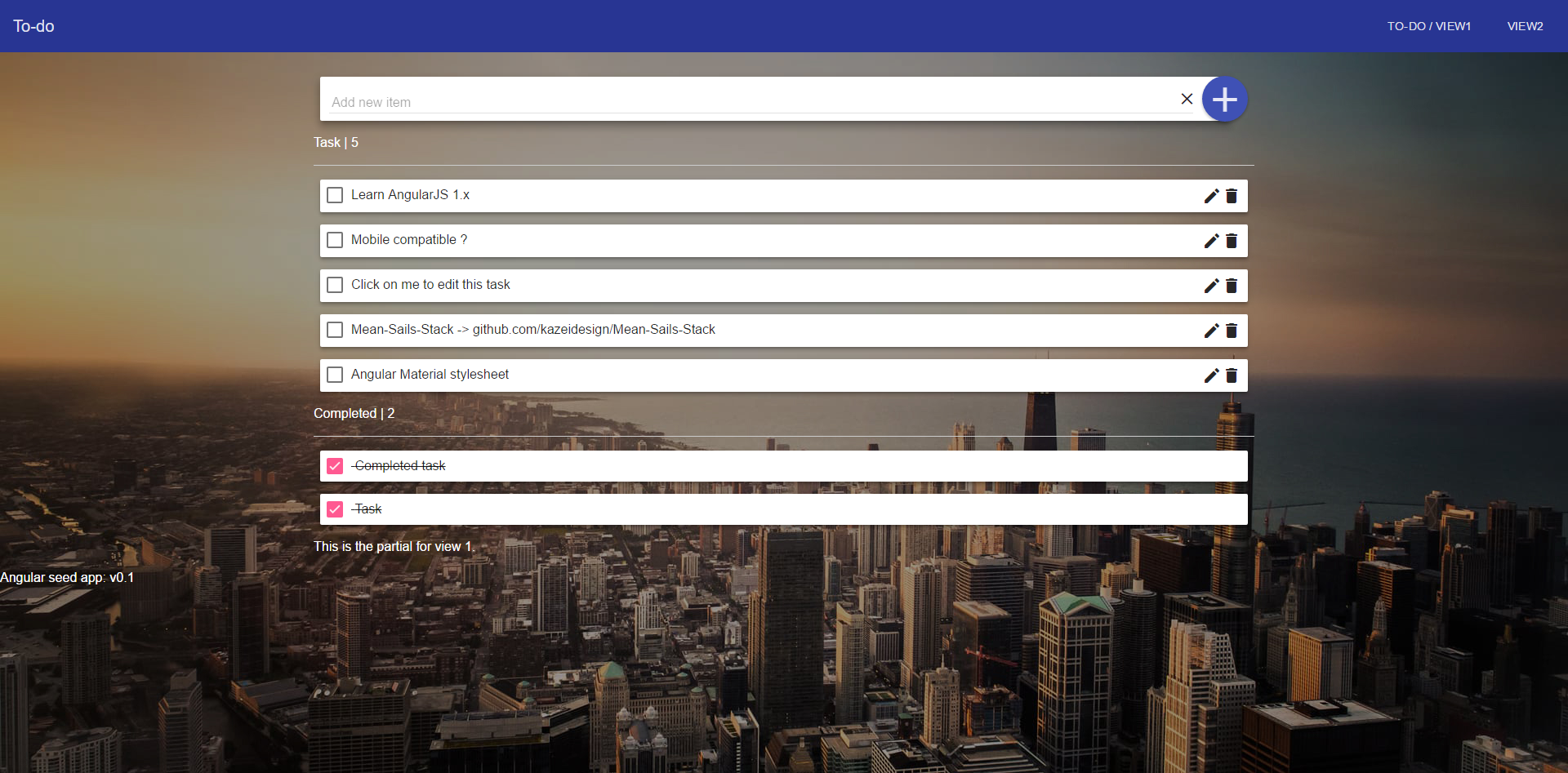
To do example with MEAN stack with Sails.js = Mean-Sails-Stack.
Ready to use
This app is ready to use. Clone this repository https://github.com/kazeidesign/Means-To-Do.git in your server.
Run cd Means-To-Do/ && npm install && sails lift.
/!\ At the first sails lift, wait less than one minute for the automatical bower install.
Look in your browser at localhost:1337. Your Sails.js app is ready and you can play with it.
Getting Started
Needed
This To-do example is based on MEAN-Sails-Stack.
How-to create this To-Do
Model
module.exports = {
  schema: true,
  attributes: {
    feature: {
      type: 'string',
      required: true
    },
    status: {
      type: 'string',
      defaultsTo: 'To do'
    }
  }
};
API
Run sails generate api item and initialize task in the .config of your module.
.config(['$routeProvider', function($routeProvider) {
  $routeProvider
  .when('/view1', {
    templateUrl: 'view1/view1.html',
    controller: 'View1Ctrl as task' // Initialize item
  });
}])
List all item
.controller('View1Ctrl', function ($rootScope, sailsResource) {
  var self = this;
  var item = sailsResource('Item', {
    nocache: {method: 'GET', isArray: true, cache: false},
    count: {method: 'GET', url: '/item/count'},
    notFound: {method: 'GET', url: '/whoa/there'}
  });

  this.itemResource = item;
  this.itemTypes = item.query();

  })
Create a new item
  this.itemForm = new item();
  this.add = function () {
    self.itemForm.$save(function (newItem) {
      self.itemTypes.push(newItem);
    });
    self.itemForm = new item();
  };


// Cancel
  this.cancel = function () {
    self.simpleForm = new simple();
  };

  // Return an error in the console
  this.causeError = function () {
    item.notFound(
      function (response) {
      },
      function (response) {
        self.error = response.statusCode;
      });
  };

  $rootScope.$on('$sailsResourceCreated', function () {
    self.created++;
  });
Delete an item
  this.deleteitem = function (item) {
    item.$delete();
  };

  [...]

  $rootScope.$on('$sailsResourceDestroyed', function () {
    self.destroyed++;
  });
Update an item
  this.editItem = function (item) {
    item.$editing = true;
  };

  this.saveItem = function (item) {
    item.$save();
    item.$editing = false;
  };


  [...]

  $rootScope.$on('$sailsResourceUpdated', function () {
    self.updated++;
  });
Check/Uncheck an item
  this.checkItemCompleted = function (item){
    item.status = "completed";
    item.$save();
  };

  this.checkItemToDo = function (item){
    item.status = "To do";
    item.$save();
  };
HTML
<div ng-cloak class="md-inline-form">
  <form ng-submit="task.add()">
    <md-card class="container_add md-whiteframe-8dp">
        <md-input-container class="input_container_add">
          <label>Add new item</label>
          <input ng-model="task.itemForm.feature">
          <i ng-click="task.cancel()" class="material-icons input_container_add--cancel">clear</i>
        </md-input-container>
    </md-card>
        <md-button class=" md-whiteframe-4dp md-fab md-primary button_add" type="submit"><i class="material-icons icon_add">add</i></md-button>
  </form>
</div>
<p class="cl--white">Task | {{todo.length}}</p>
<hr />
<md-card class="md-whiteframe-4dp task_card" ng-repeat="item in task.itemTypes | filter:{ status: 'To do' } as todo" layout="row">
  <md-card-title flex="95">
    <md-card-title-text>
      <md-input-container>
        <md-checkbox class="checkbox left" ng-model="item.status" ng-true-value="'completed'" ng-false-value="'To do'" aria-label="Checkbox 1" ng-click="task.checkItemCompleted(item)" flex="5"></md-checkbox>
        <span ng-hide="item.$editing" ng-click="task.editItem(item)" ng-bind="item.feature"></span>
        <input ng-show="item.$editing" ng-model="item.feature" aria-label="Edit task"flex="80">
      </md-input-container>
    </md-card-title-text>
  </md-card-title>
  <md-card-actions layout="row" layout-align="end center" flex>
    <i ng-hide="item.$editing" ng-click="task.editItem(item)" class="material-icons">mode_edit</i>
    <i ng-show="item.$editing" ng-click="task.saveItem(item)" class="material-icons">save</i>
    <i ng-hide="item.$editing" ng-click="task.deleteItem(item)" class="material-icons">delete</i>
    <i ng-show="item.$editing" ng-click="task.saveItem(item)" class="material-icons">clear</i>
  </md-card-actions>
</md-card>

<p class="cl--white">Completed | {{completed.length}}</p>
<hr />

<md-card class="md-whiteframe-4dp task_card completed_task" ng-repeat="item in task.itemTypes | filter:{ status:'completed' } as completed" layout="row">
  <md-card-title flex>
    <md-card-title-text>
      <md-input-container>
        <md-checkbox class="checkbox" ng-model="item.status" ng-true-value="'completed'" ng-false-value="'To do'" aria-label="Checkbox 1" ng-click="task.checkItemToDo(item)"></md-checkbox>
        {{ item.feature }}
      </md-input-container>
    </md-card-title-text>
  </md-card-title>
</md-card>
SASS
/* variable */

$white: #fff;

/* Reset */

html, body {
  background-color: inherit;
}

i {
    cursor: pointer;
}

.left {
  float: left;
}

md-checkbox,
md-input-container {
  padding: 0;
  margin: 0;
}

/* Utilities */

.cl--white {
  color: $white;
}


body {
  background: url(http://img15.hostingpics.net/pics/384420photo1422393462206207b0fbd8d6b.jpg);
  background-size: cover;
  background-position: center center;
  background-attachment: fixed;
}

.container {
  margin: 0 auto;
}

md-card md-card-title {
    padding: 8px;
}

.task_card {
  margin-bottom: 15px;
}

.completed_task .ng-binding {
  text-decoration: line-through;
}

.material-icons.icon_add {
  font-size: 50px;
  margin: 4px -7px;
}

.container_add {
    margin-right: 30px;
}

.input_container_add {
    margin-top: 15px;
    margin-bottom: -15px;
    width: 95%;
    margin-left: 1%;
}

.input_container_add--cancel {
  position: absolute;
  margin-left: -20px;
}

.button_add {
    float: right;
    margin-top: -63px;
}
Enjoy!